
Raid Protection
Raid protection watches how fast members join your server and raises the alarm the moment a raid starts — including which invite the raid came through. Detection and alerts are free for every server; automatic responses and cleanup tools are part of Premium.
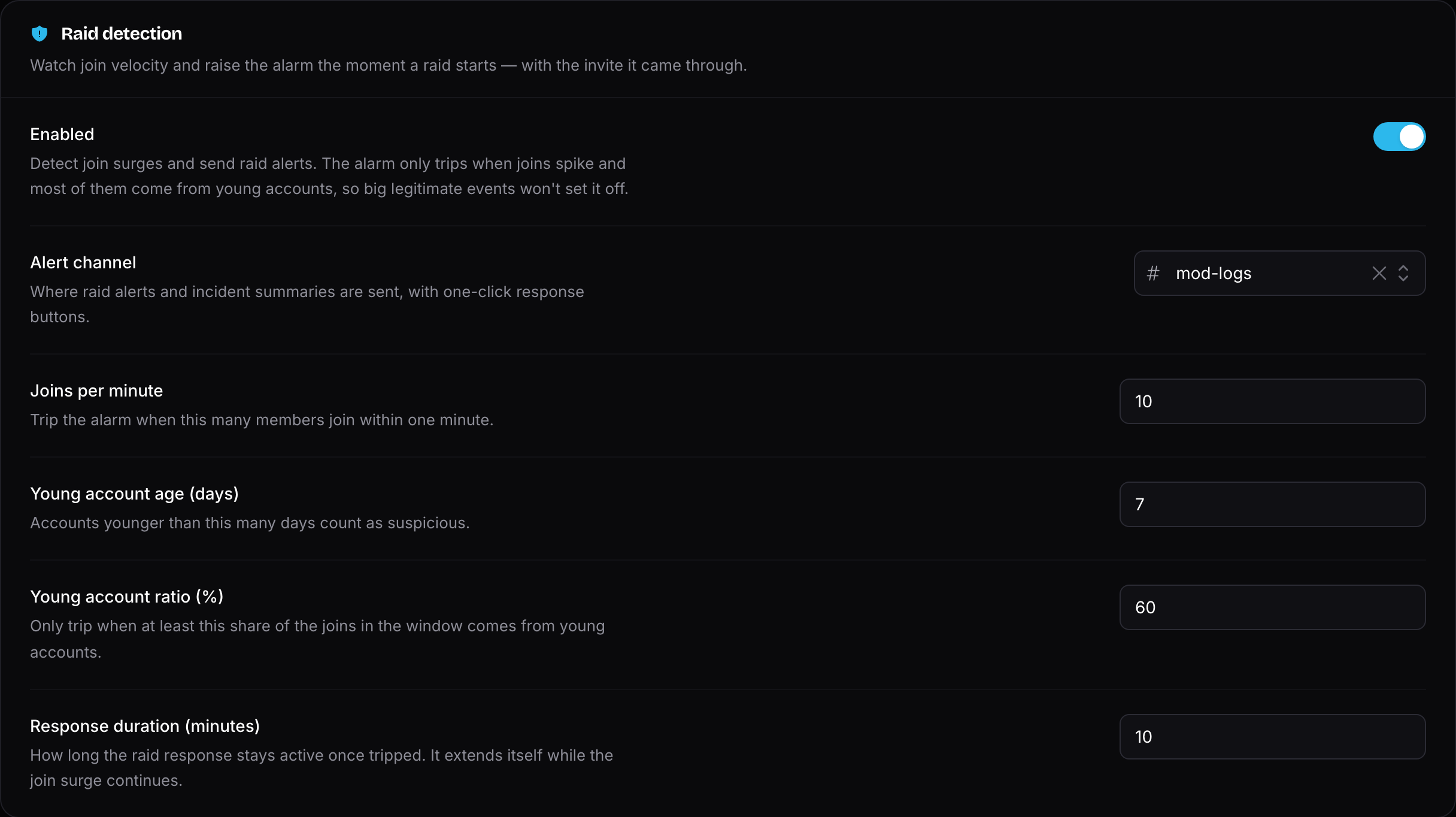
Raid protection is disabled by default: enable it on the dashboard's Raid Protection page and pick an alert channel to get started.
How Detection Works
The alarm only trips when two things happen at the same time:
- Members join faster than your joins per minute threshold, and
- At least your young account ratio of those joins come from accounts younger than your young account age threshold.
This compound condition is what keeps false alarms away: a partnered event or a viral video produces a join spike with normal account ages, while a bot raid produces a spike of day-old accounts. A rapid burst of young-account joins (5 within 10 seconds) trips the alarm instantly, even below the velocity threshold.
Once tripped, the raid response stays active for your configured response duration and extends itself while the join surge continues.
INFO
Free servers run the stock thresholds (10 joins/minute, 60% young-account ratio, 7-day account age, 10-minute response). Customizing them requires Invite Tracker Premium.
Raid Alerts
When a raid trips, Invite Tracker sends an alert to your configured alert channel with the full picture: how many members joined, how many are young accounts, and the suspicious invites they used — with the invite code, its creator, and the join count per invite.
Every alert comes with one-click response buttons:
- Pause invites — pauses all server invites through Discord's own safety tools (free for everyone). The pause expires on its own after your configured pause duration — 1 hour by default.
- Raise verification — forces new joiners through verification while the response is active (needs your verification panel set up).
- Kick young joiners — kicks the young accounts captured in the raid cohort, and keeps kicking young accounts that join while the response is active.
- Ban raid cohort — bans every member captured during the incident, young or not. The confirmation shows exactly how many young and older accounts are included; press again to confirm.
- False alarm — lifts the response, restores paused invites and records the incident as a false alarm.
When the response ends, a summary is posted with the final numbers and a last chance to ban the captured cohort — or to /massban by one of the flagged invite codes for a more surgical sweep.
WARNING
The response buttons require the Manage Server permission. All buttons except Pause invites and False alarm require Invite Tracker Premium.
Invite Tracker itself needs the Kick Members, Ban Members and Manage Server permissions (with a role above the raiders) for the kick, ban and invite-pause actions to work.
Automatic Response
Premium feature
The automatic raid response requires Invite Tracker Premium.
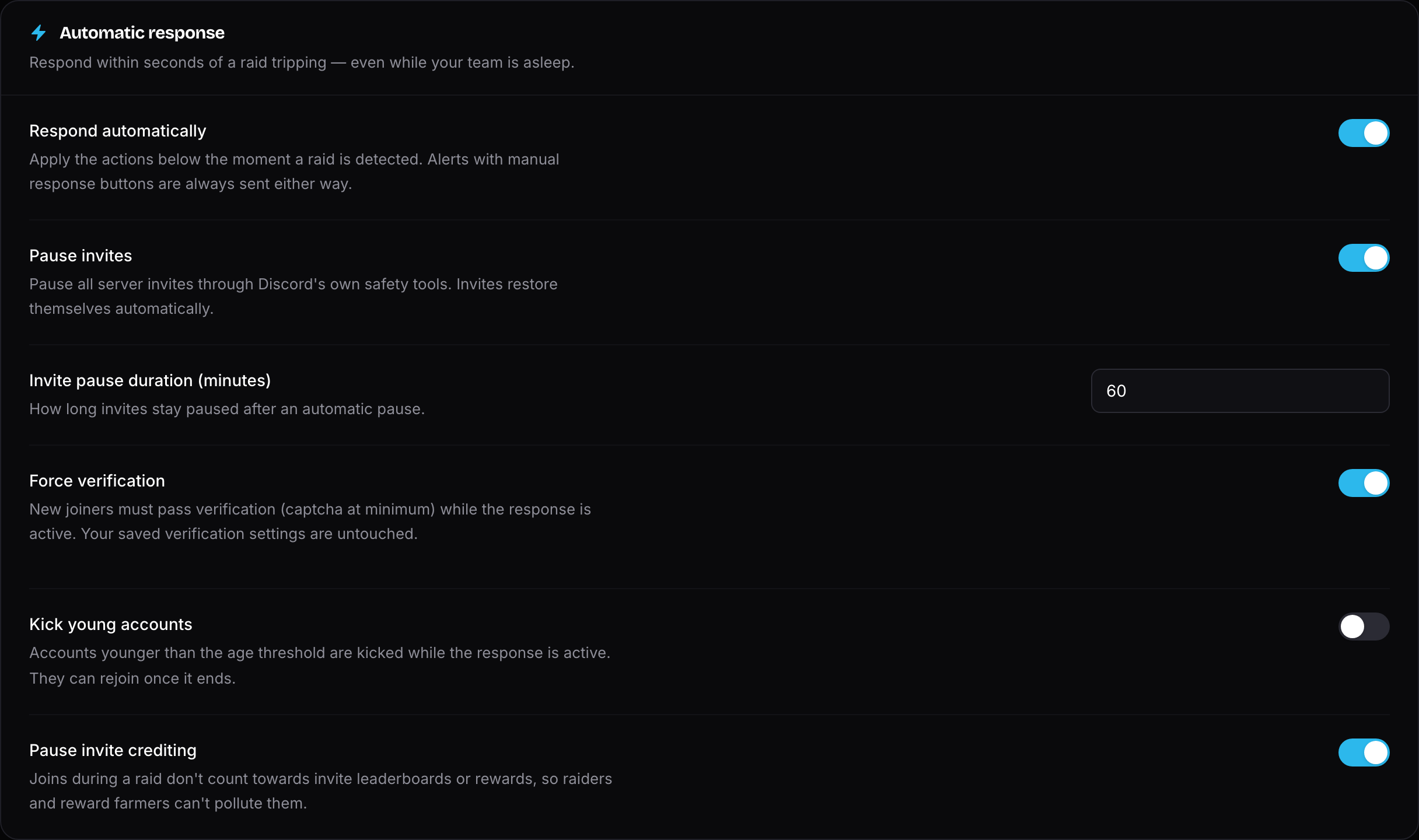
With Respond automatically enabled, the actions you pick are applied within seconds of a raid tripping — no admin needed:
- Pause invites — pauses server invites for a configurable duration (up to 24 hours).
- Force verification — new joiners must pass verification (captcha at minimum) while the response is active. Your saved verification settings are untouched and restore themselves the moment the response ends.
- Kick young accounts — accounts younger than your age threshold are kicked during the response. They can rejoin normally once it ends.
- Pause invite crediting — joins during a raid don't count towards invite leaderboards or rewards, so raiders and reward farmers can't pollute them.
TIP
Force verification needs a working verification setup: configure it on the Verification page and send a verification panel first. Without one, this action is skipped and the alert tells you so.
Manual Lockdown
Premium feature
Manual lockdowns (/lockdown start and /lockdown end) require Invite Tracker Premium.
The /lockdown start command activates the raid response on demand — useful before an announced event or the moment you spot trouble yourself. It pauses invites, pauses invite crediting and applies your configured response actions for the chosen duration (5–120 minutes, defaulting to your response duration). /lockdown end lifts it early and restores paused invites.
Both commands require the Administrator permission. Starting a lockdown enables raid protection for your server if it wasn't enabled yet.
While a response is active — raid or lockdown — a live banner shows up at the top of the dashboard's Raid Protection page, and you can end it from there too.

Incident History
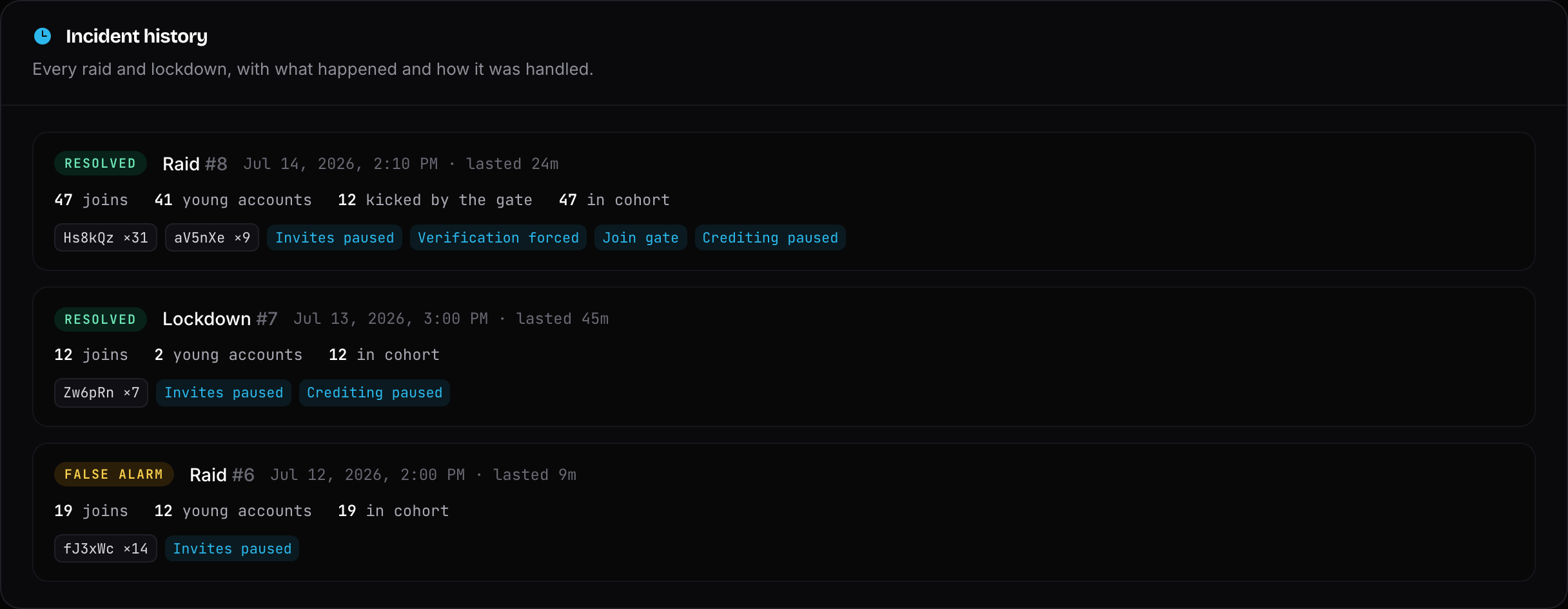
Every raid and lockdown is recorded with its trigger, duration, join counts, the top invites used and the response actions taken. You can review incidents on the dashboard's Raid Protection page — an active incident shows up live with its counters, and you can end the response right from there.
INFO
Free servers keep 3 days of incident history. Premium servers keep it forever.