
Verification
The verification plugin affects new members of your server by requiring them to go through a security check before they can have access to the server.
Enabling Verification
Verification is turned on and off with the Enabled switch at the top of the verification settings. While it is disabled, the plugin will not function.
Verification Level
The verification level of your server is the type of verification in your server. It gradually gets more secure for each level.
There are 3 verification levels:
- Button: Requires new members to click a button created by Invite Tracker to get their verification role. This is the simplest verification method.
- Captcha: Requires new members to solve an image-based captcha sent by Invite Tracker via DM to get their verification role. The captcha displays distorted text that users must type correctly.
- Website: Requires new members to complete verification on the Invite Tracker website. When a member joins, they receive a link that takes them to a secure verification page where they solve an hCaptcha challenge. This offers the best protection against bots and raids because:
- hCaptcha provides advanced bot detection
- The verification happens on a controlled environment
- It's harder for automated tools to bypass
- Users must have a valid browser session

INFO
When selecting a level you must also ensure that you click Send verification panel.
Clicking this will cause Invite Tracker to attempt to send a verification button to your server's panel channel.
If Invite Tracker fails, please grant it the required permissions for that channel.
TIP
We recommend using the Website option for this feature as it is the most secure way of protecting your server against bot accounts and raids.
Verification Timeout
The verification timeout is the number of seconds an unverified user has to verify before being automatically kicked or banned. This only applies if your timeout action is set to kick or ban.

TIP
Users need time to verify, so remember to set the verification timeout accordingly. The default verification timeout of 180 seconds should be sufficient for most cases.
WARNING
A server's verification timeout must be between 15 and 1800 seconds.
Timeout Action
This feature decides the effect of the verification timeout feature.
There are three timeout actions:
- Kick: If a user does not verify within the verification timeout, they will be kicked from the server.
- Ban: If a user does not verify within the verification timeout, they will be banned from the server.
- No action: If a user does not verify within the verification timeout, nothing will happen.

INFO
Every server's default timeout action is set to kick.
DANGER
Be careful when using the Ban option for this feature. It is generally not recommended to use it.
Verification Role
The verification role of your server is the role that is granted to the user after they complete the verification. Auto roles are added to a user alongside verification roles.

WARNING
When configuring the Verification Role in your server, make sure the Invite Tracker bot role is above the role you want to give.
Panel Channel
The panel channel of your server is the channel where the verification panel will be sent. You can find it in the Verification panel section, together with the Send verification panel button.

WARNING
Remember to give Invite Tracker the correct permissions so it can post verification messages.
Custom Embed
Premium feature
The custom verification embed requires Invite Tracker Premium.
Custom embed allows you to customize the embed used on the verification panel in your panel channel.

Once enabled, you can customize what the embed looks like. The new embed is sent out when you click on the Send verification panel button.
Verification Logs
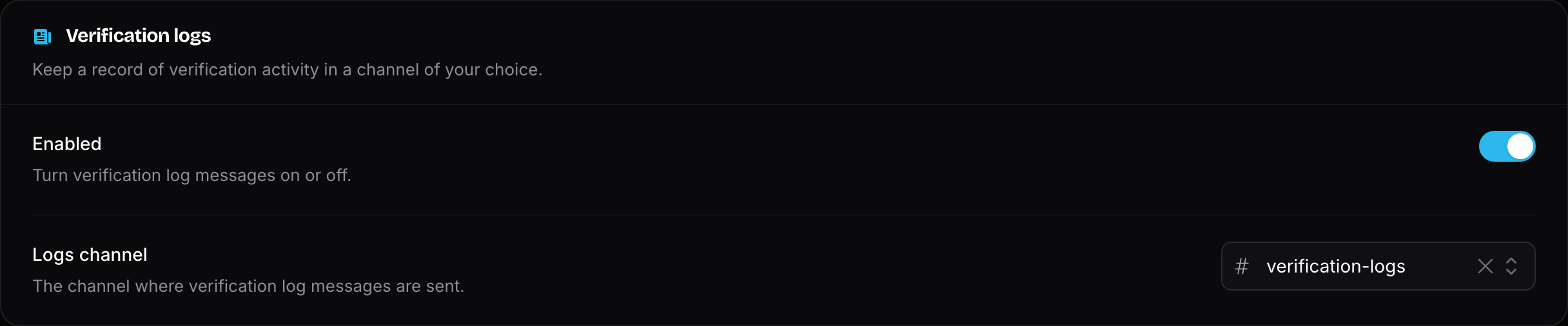
Verification logs are messages sent by Invite Tracker to a specific channel, notifying you whether new members verified successfully, failed verification, or timed out.
Verification Logs Channel
The logs channel of your server is where your server's verification logs are sent.
WARNING
You need to enable the verification logs switch for this feature to work.