Leaderboard
Premium feature
The leaderboard page and the public web leaderboard require Invite Tracker Premium.
The leaderboard page gives Premium servers a live view of their top inviters and top messengers, with more details than the /leaderboard command. It also lets you publish your leaderboard as a public web page with your own custom link.
Dashboard Leaderboard
The dashboard leaderboard ranks the top 50 members by Invites or Messages, over All time, the last 30 days, the last 7 days or the last 24 hours.
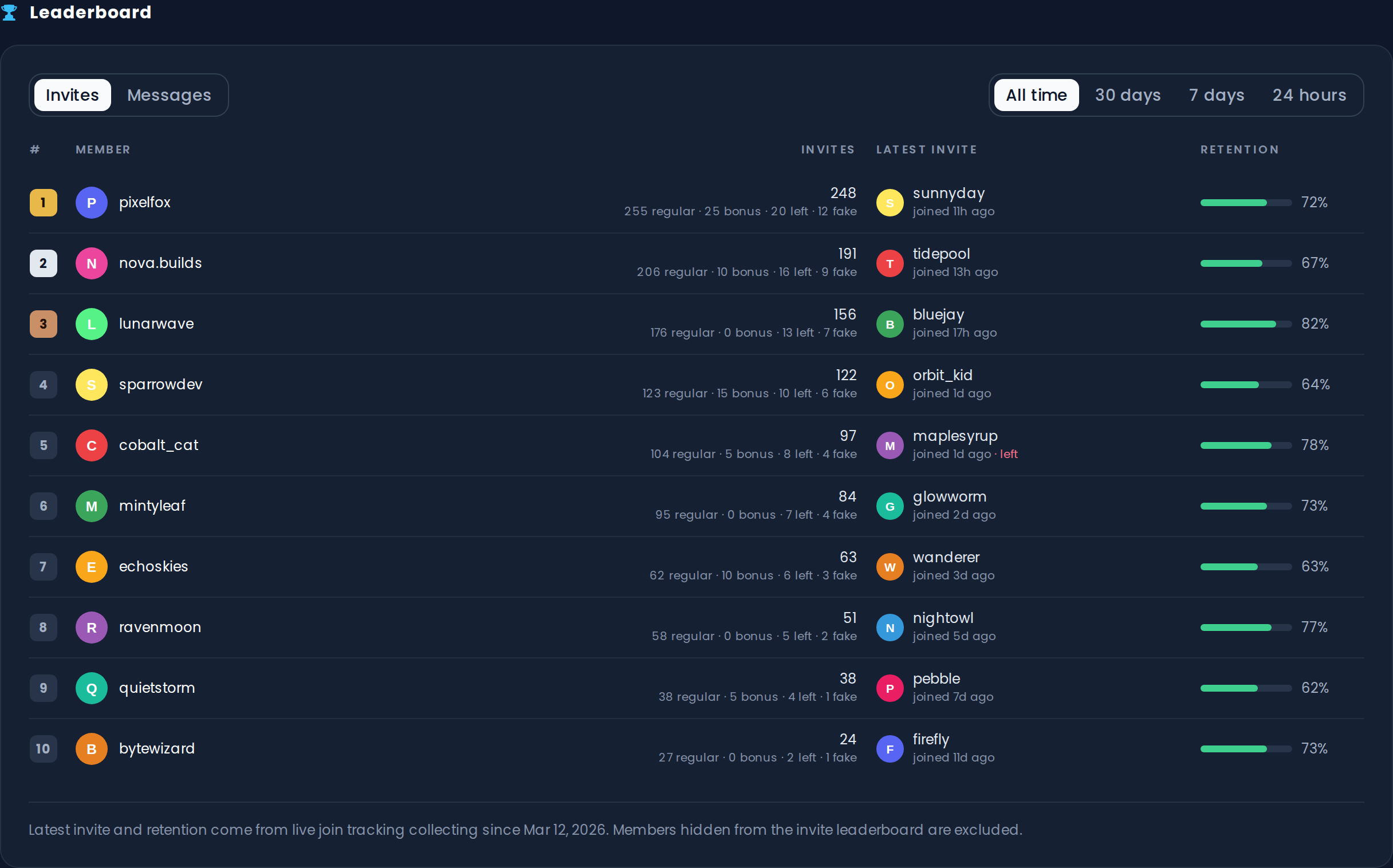
For the invite leaderboard, every entry also shows:
- Invites: the member's total, with the regular, bonus, left and fake breakdown
- Latest invite: the newest member they invited, how long ago that member joined, and whether they left again
- Retention: the percentage of their real (not fake) invited members who are still on the server
Members hidden from the invite leaderboard in Invite Tracking are excluded here too.
INFO
Latest invite and retention come from live join tracking, so they only cover joins recorded since data collection started. The page shows the date data collection started under the table.
TIP
The leaderboard refreshes every few minutes. If someone just invited a member, give the page a moment before expecting it to move.
Public Leaderboard
In the Public Leaderboard section, you can publish a live, read-only version of your leaderboard that anyone can open in a browser, with no Discord login needed. It's perfect for invite events, partner pages, or just letting members check their rank without opening Discord.
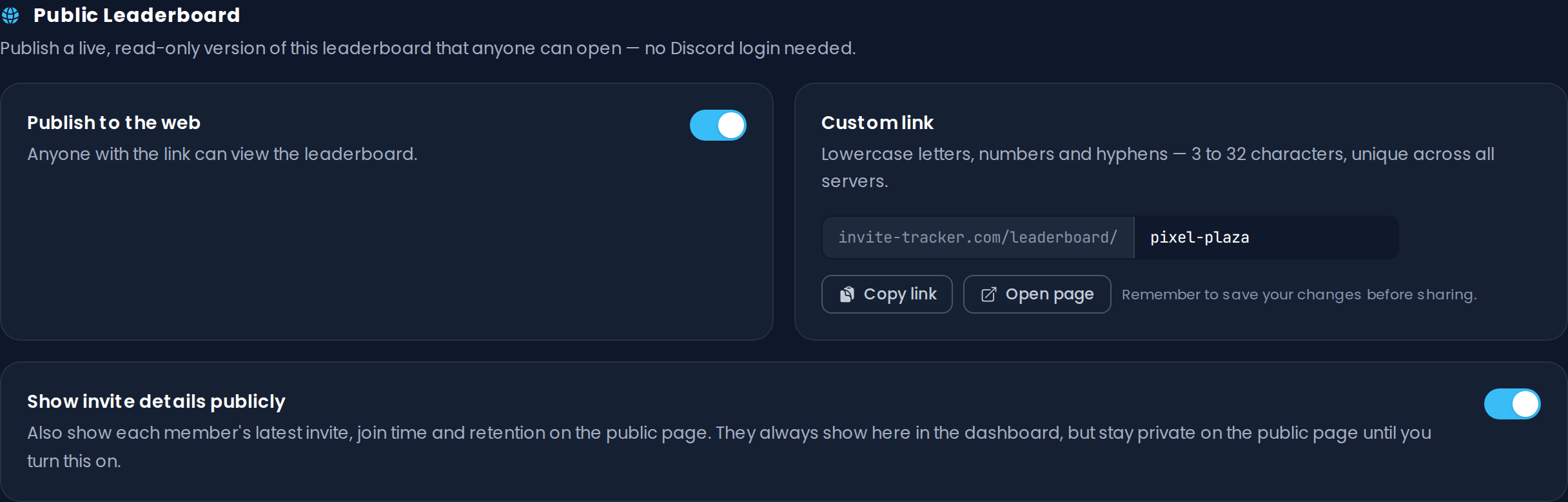
To publish it:
- Choose a Custom link for your server, for example
invite-tracker.com/leaderboard/your-server. Links are unique across all servers, 3 to 32 characters long, and can contain lowercase letters, numbers and hyphens (but cannot start or end with a hyphen). A few links are reserved and cannot be used. - Turn on Publish to the web and save your changes.
- Share the link! Use Copy link to copy it, or Open page to see the page yourself.
The public page shows your server's name, icon and member count, the invite and message leaderboards, and the same time ranges as the dashboard.
Invite Details on the Public Page
By default, the public page only shows ranks, names, avatars and counts. Each member's latest invite, join time and retention stay private: they are only visible to you in the dashboard.
If you want to show them publicly too, turn on Show invite details publicly.
WARNING
The public leaderboard is a Premium feature. The page stops being available if the server's Premium expires or if you turn Publish to the web off. The link then simply shows "This leaderboard isn't public".
INFO
Members who left your server a long time ago may occasionally be shown by their user ID instead of their name.
Leaderboard Command
Members can also see the leaderboard in Discord with the /leaderboard invites and /leaderboard messages commands (see General Commands). The buttons under the leaderboard let you go to the first, previous or next page, and the stop button removes them. The buttons keep working for as long as the message exists, but only for the member who ran the command: anyone else who presses them gets a private reminder to run /leaderboard themselves.