
Scheduled Resets
Premium feature
Scheduled resets require Invite Tracker Premium.
Scheduled resets put the invites, the message counts, or both back to zero on their own: once at a date and time, or on a repeat, for example at the start of every month for a monthly invite leaderboard. A scheduled reset does exactly what /resetinvites and /resetmessages do with the all or left target.
Scheduled resets are only configured on the dashboard, on the Scheduled Resets page under Engagement.
DANGER
A reset cannot be undone. Double-check what a scheduled reset resets and when before saving it.
Scheduling a Reset
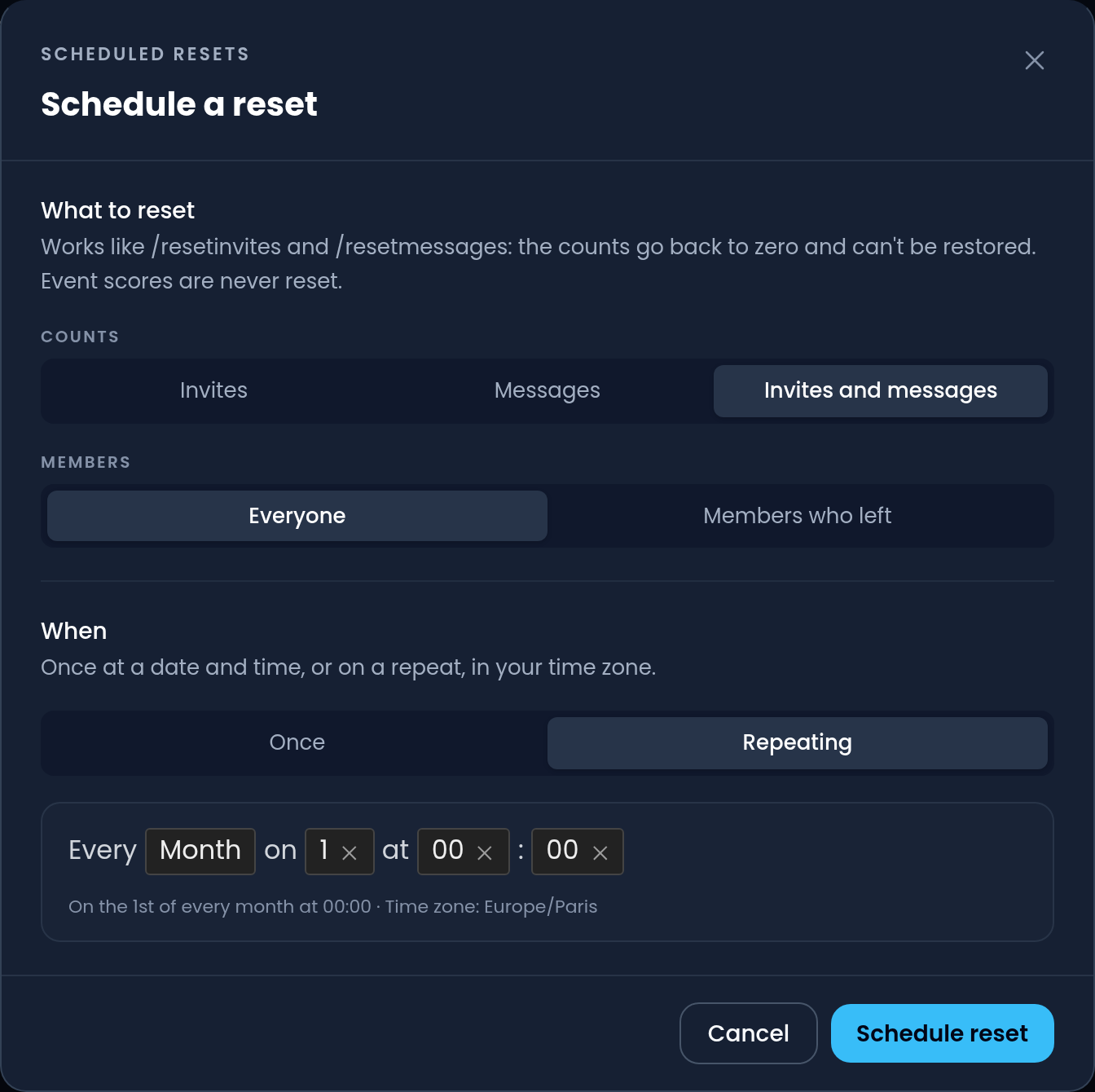
Click the blue Schedule a reset button to open the Schedule a reset menu.
What to Reset
- Counts is what is reset: Invites (regular, left, fake and bonus invites), Messages (the message count), or Invites and messages.
- Members is who the reset applies to: Everyone in the server, or only the Members who left, like the
allandlefttargets of the reset commands.
When everyone's invites are reset, the members invited before the reset no longer take an invite back from their inviter when they leave, exactly like with /resetinvites target:all.
Scheduled resets never touch the scores of events, which have their own.
When
- Once runs the reset a single time, at the Date and Time you fill in, in your time zone. After it has run, it stays on the page as Done with the date it ran, until you delete it or edit it with a new date.
- Repeating runs the reset again and again on a schedule you pick: every day, every week on some days of the week, every month on some days of the month, or on some days of the year, at the hours and minutes you choose. The schedule is read in your time zone (shown under the picker), so a reset at midnight stays at midnight when the clocks change for daylight saving time. On the night the clocks go back, a time that happens twice runs only the first time.
WARNING
A reset can repeat at most once an hour, and a server can have up to 10 scheduled resets. Done one-off resets count towards the 10 until you delete them.
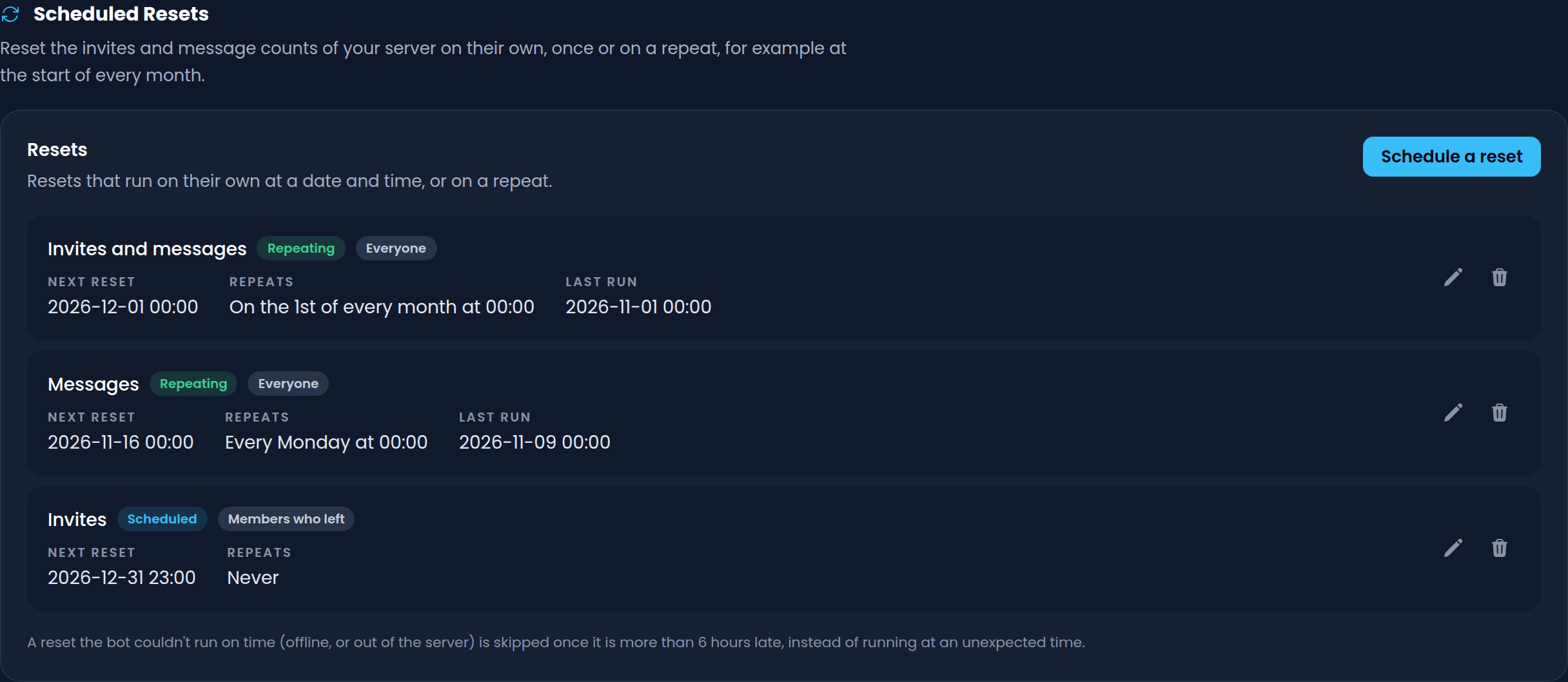
Click Schedule reset at the bottom of the menu to save it. It shows up under Resets with what it resets, for whom, its next run, its repeat and its last run. Its status is Repeating or Scheduled while it has a next run, and once a one-off reset was due, Done, Skipped or Failed.
Editing and Deleting a Reset
Click the Pencil button next to a reset to change anything about it, including when it runs, and the Trash button to delete it. Saving a repeating reset works its next run out again from the time you save it.
When a Reset Doesn't Run
A reset that can't be undone should never happen at a time nobody expects, so in a few cases a due reset is skipped instead of run, and a warning next to it on the dashboard says why:
- The server is no longer Premium. Repeating resets carry on and run again at their next date once Premium is back. Scheduled resets can't be created or edited without Premium.
- Invite Tracker couldn't run it on time, for example because it was offline or not in the server, and the reset is now more than 6 hours late. A repeating reset then runs again at its next date.
A skipped one-off reset doesn't run later: it shows as Skipped, and you can edit it with a new date to schedule it again. The warning goes away after the next run, or when you edit the reset.